6 Best AI Task Management Automation Tools for Freelancers and Solopreneurs
You are juggling client work, admin, and follow-ups in five different apps. Many tools promise automation but only add another tab to check. That usually pushes freelancers to look for something simpler.
This article compares six AI task management tools built for solo work, covering features, pricing, and automation. You will also see how Tasks.Bot handles tasks inside WhatsApp, plus the criteria to pick your best fit.
What Freelancers and Solopreneurs Should Look For in AI Task Management Tools
As a freelancer or solopreneur, your time is your inventory, so the right AI task management tool must directly protect billable hours and reduce admin overhead. Generic task managers were built for teams with shared inboxes, standups, and managers who chase progress. Solo workers have none of that backup.
That gap shows up in predictable ways. Client follow-ups slip because nothing triggers them automatically. Invoices go out late because billing is disconnected from project status. And every switch between a design brief, a client email, and a proposal draft carries a hidden cost in refocusing time.
A tool built for enterprise teams also assumes someone else handles coordination. When you are the account manager, the executor, and the billing department, that assumption breaks down fast. Automation has to replace the teammate you do not have.
To cut through the noise, this guide evaluates every option against three pillars: key features, pricing models, and automation depth. Each pillar gets a closer look below, so you can judge any tool on the list against the same standard.
Key Features, Pricing, and Automation Capabilities to Compare
When comparing AI task managers, look beyond the feature list and assess how each tool handles three core areas: intelligent prioritization, seamless integrations, and transparent pricing that scales with your client load.
On features, natural language processing is the first filter. You should be able to type "invoice Acme Friday" or "follow up with Dana next week" and get a scheduled task without opening a form. Recurring task automation matters just as much for retainers, monthly reports, and standing check-ins.
Deadline reminders should adapt rather than fire at fixed times. A reminder that lands mid-deep-work session gets ignored. Smart scheduling that shifts reminders around your focus blocks keeps them useful. Look for these capabilities:
- Natural language task entry for fast capture without menu navigation
- Recurring task automation for retainers, invoices, and routine client check-ins
- Adaptive deadline reminders that respect your calendar and focus time
- Calendar, email, and Slack integration so tasks flow in from where work arrives
- Zapier or Make support to connect billing, forms, and CRM tools without code
- Predictive analytics or workload balancing that flags overloaded days before they happen
Pricing deserves equal scrutiny. Per-user models look cheap for a solo operator, but they can penalize you the moment you add a contractor. Flat-rate plans are simpler to forecast, though they sometimes cap seats or automation runs. Watch for hidden costs too: API call limits, premium support tiers, and storage ceilings that only surface after you commit.
Here is a quick example. A freelancer juggling five clients marks a project task complete. In a well-built system, that single action can trigger an invoice draft, a follow-up reminder, and a status update to the client. If you have to do those three steps by hand, the automation is only skin deep.
| Pillar | What to Check | Why It Matters for Solo Work |
|---|---|---|
| Key features | NLP entry, recurring tasks, adaptive reminders | Cuts capture and admin time on every task |
| Integrations | Calendar, email, Slack, Zapier, Make | Keeps client work flowing into one system |
| Pricing model | Per-user vs flat rate, API and support limits | Keeps costs predictable as client load grows |
| Automation depth | Triggers, invoice hooks, follow-up chains | Replaces coordination you would otherwise do manually |
Use this checklist as a scorecard when you read the tool reviews that follow. A tool that scores well on features but poorly on automation depth will still leave you doing the work you bought it to remove.
1. Tasks.Bot - Best Overall
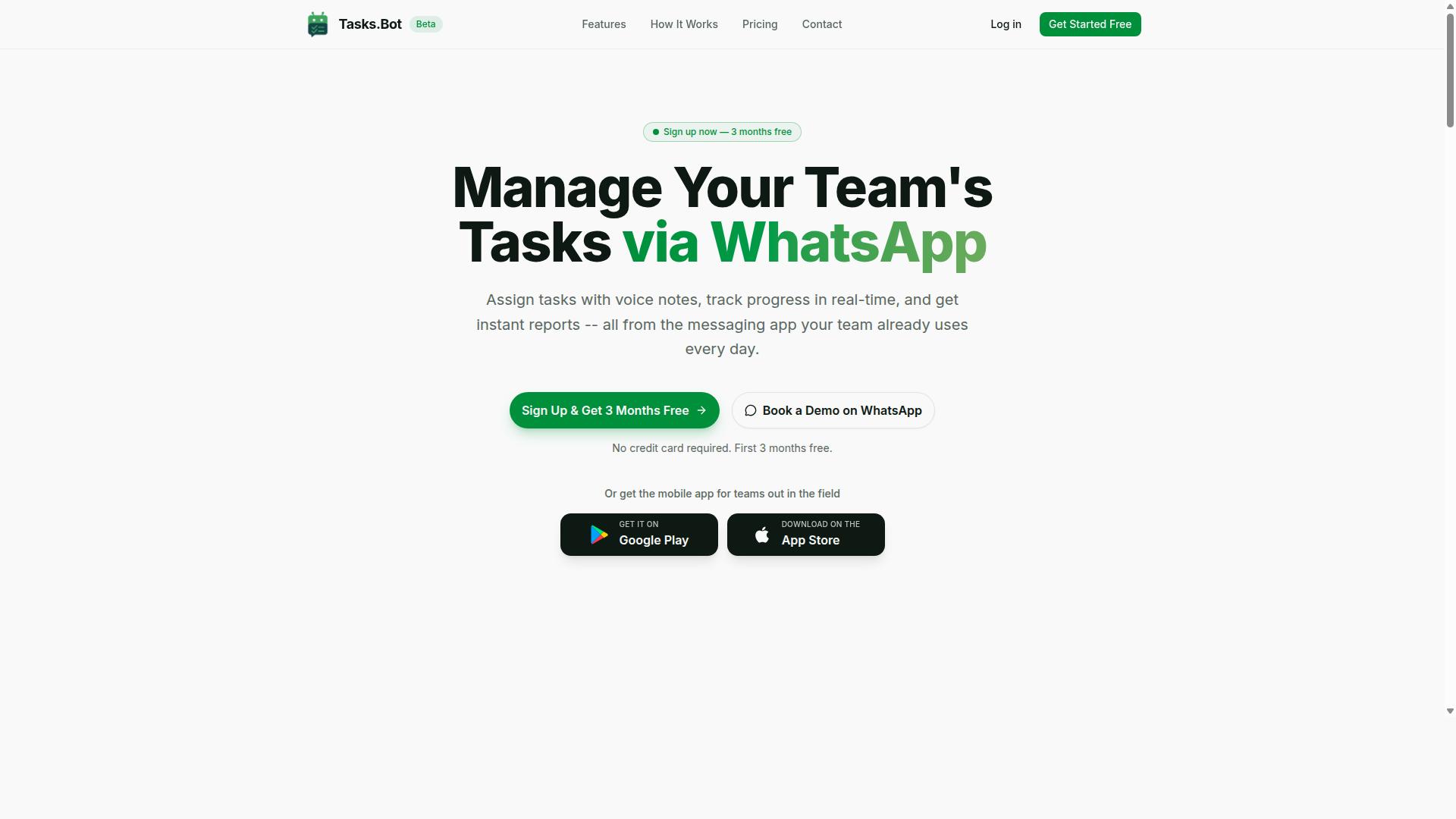
Tasks.Bot earns the top spot for freelancers and solopreneurs because it turns WhatsApp, the app you already use for client chats, into a full task management command center. There is no new dashboard to learn and no onboarding friction, since everything happens in a conversation thread you already check daily.
That WhatsApp-native approach removes the biggest barrier to adopting AI task management software: the habit change. Instead of switching between a project management tool, a chat app, and a spreadsheet, you keep one workflow in one place.
The platform is currently in beta and already used by hundreds of teams, with a free trial period available for new users.
WhatsApp-Native Task Automation, AI Voice Notes, and Pricing
Tasks.Bot operates entirely within WhatsApp, letting you create tasks via voice notes, assign them with a message, and receive instant reports, with no new app to install. The system uses AI to understand user intent, so a quick spoken or typed message becomes a structured task without manual form filling.
For freelancers juggling multiple clients, that speed matters. Assigning work, checking status, and confirming completion all happen in the same thread where the conversation started.
Core capabilities include:
- Voice note task creation for hands-free entry
- Automatic task assignment to the right person
- Smart deadline reminders so nothing slips
- Approvals and automations for repeatable steps
- Instant reports delivered in chat
- Tasks on a map and a live day tracker
- Face-verified attendance for field staff
- Shifts, leave, and hours management with payroll-ready hours
Freelancers with subcontractors get a practical benefit here. A designer can send a voice note assigning a revision to a subcontractor and receive a completion report without ever leaving WhatsApp, which keeps client work moving while the designer stays focused on billable tasks.
Tasks.Bot also offers Android and iOS apps with push notifications, voice capture, and a home screen widget, so field teams and mobile workers are covered alongside the WhatsApp workflow.
Pricing is straightforward. The Full Access plan costs ₹200 per member per month or ₹1,200 per year per member, and is also available in USD. A Book a Demo on WhatsApp option lets you see the platform in action before committing, and a refund policy is in place for added peace of mind.
2. Reminderly.ai
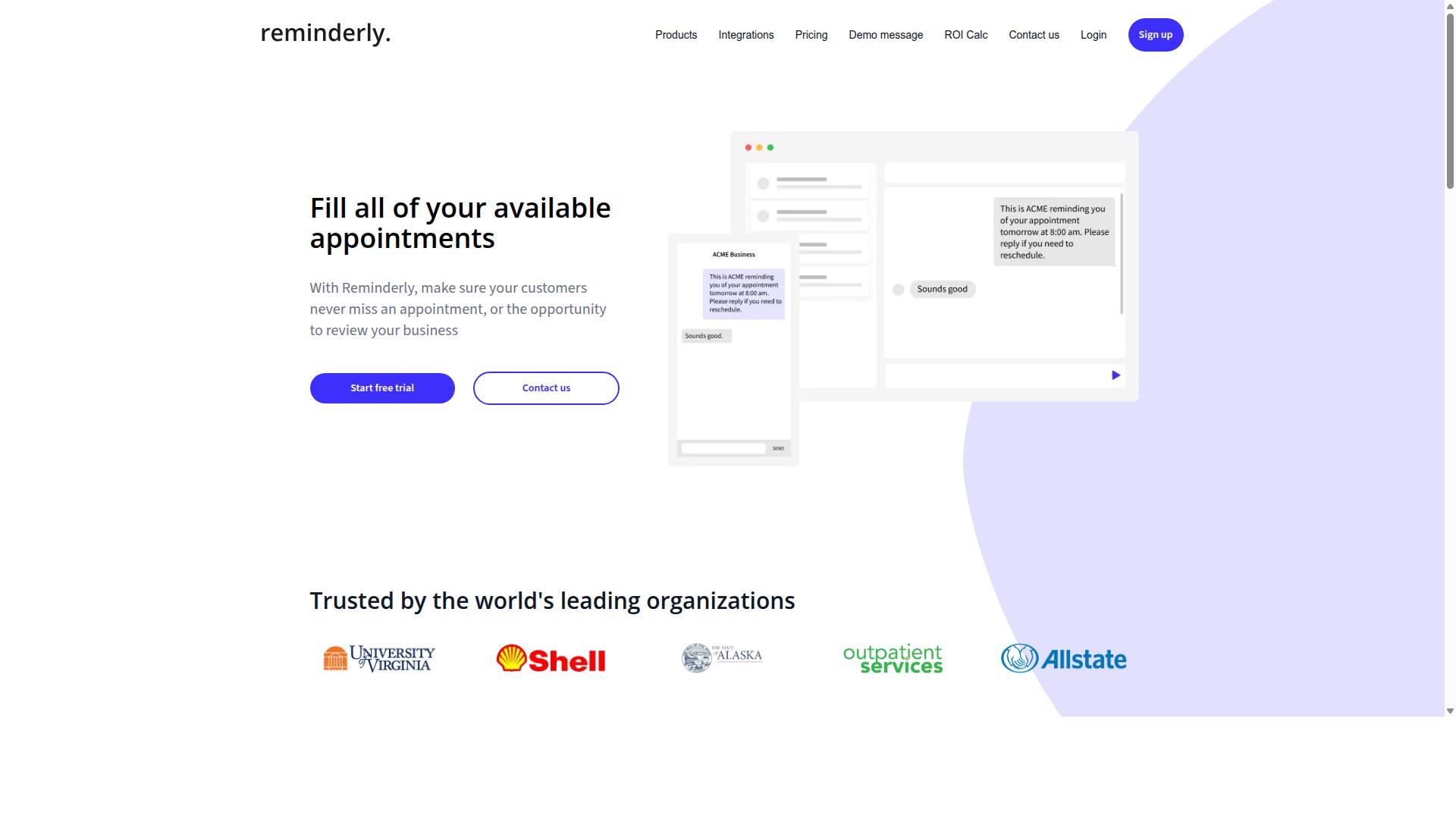
Reminderly.ai focuses on intelligent deadline tracking and automated follow-ups, making it a solid choice for freelancers who need to chase clients without manual reminders. Instead of relying on memory or a messy to-do list, users can let the tool nudge them when a project milestone or payment date is approaching.
Its core strength sits in automated reminder sequences. You set the trigger, whether that is a due date, an invoice term, or a recurring check-in, and the system handles the follow-up on your behalf. For solopreneurs juggling multiple clients, that reduces the mental load of tracking who owes what and when.
Pricing for tools in this category typically follows a freemium model, with a free tier for basic reminders and paid plans that unlock more reminders, users, or channels. Exact tiers and costs change often, so it is worth checking the current pricing page before committing. Treat any quoted figure as a starting point rather than a fixed rate.
There are trade-offs to weigh. Reminder-focused platforms tend to offer narrower integration libraries than full project management suites, so connecting them to your existing stack may require extra setup. If your workflow depends on deep calendar integration, email integration, or a Slack integration, confirm those connections exist before you build processes around the tool.
One limitation worth noting for mobile-first freelancers: Reminderly.ai is not a WhatsApp-native task manager. Teams and solo operators who already run client communication through WhatsApp may find that reminders live in a separate app, which adds a small layer of friction. A tool built around chat-native operation keeps tasks and follow-ups where the conversation already happens.
Where does that leave you? Reminderly.ai suits freelancers whose main pain point is forgetting to follow up, not managing complex projects. If your needs are simple and reminder-driven, it can do the job. If you want deadline reminders woven into the channels you already use daily, compare it against options that operate natively inside those channels.
3. TaskRio
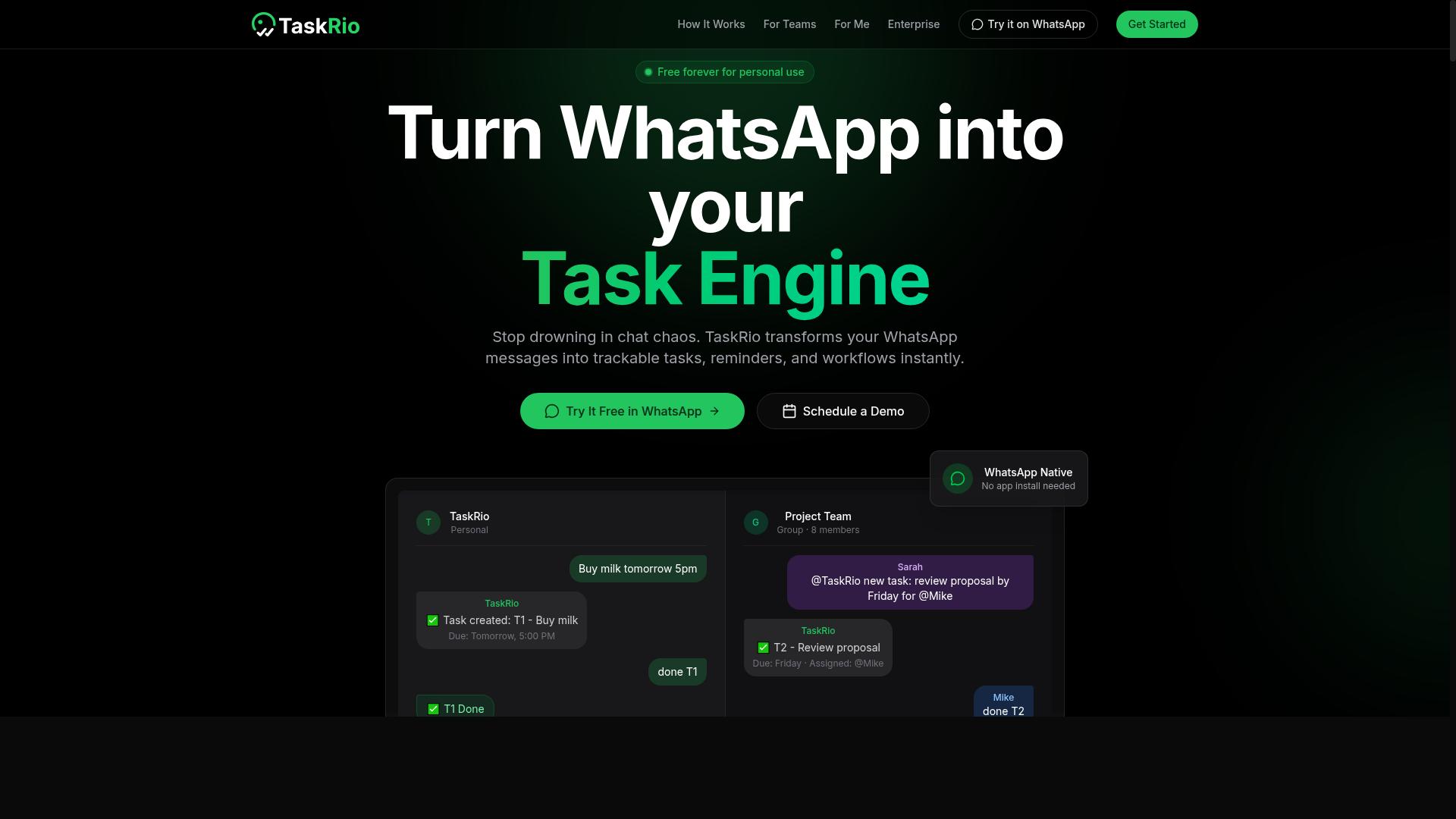
TaskRio blends project management with AI-driven prioritization, appealing to solopreneurs who want a visual kanban board alongside smart scheduling. It sits in the category of standalone productivity software, meaning it lives in its own app or browser tab rather than inside a messaging tool you already use every day.
For freelancers juggling several clients at once, that visual approach can make a difference. Instead of reading a long task list, you see work laid out in columns and can drag items between stages as a project moves forward.
Based on publicly available information, TaskRio's feature set generally centers on three areas:
- Kanban boards for organizing tasks by stage, client, or project
- AI prioritization that helps surface what to work on next
- Collaboration tools for sharing boards with clients or contractors
The AI prioritization angle is the main draw. Rather than manually ranking a backlog, solopreneurs can let the tool suggest an order based on due dates and workload. For anyone handling recurring tasks across multiple clients, that kind of automation reduces the mental overhead of deciding what comes first.
Collaboration features matter most for freelancers who bring in subcontractors or work directly with client teams. Shared boards and task assignments keep everyone aligned without long email threads. That said, the depth of these tools varies, and small operators may find they use only a fraction of what is offered.
Pricing for tools in this category typically runs on a per-user, per-month basis, often with a free tier or trial for individuals. Exact plans and rates change frequently, so it is worth checking TaskRio's current pricing page directly before committing. A free tier, where available, is a genuine plus for solopreneurs testing whether the workflow fits.
The most common tradeoff is the learning curve. Visual project management platforms pack in a lot of options, and getting boards, automations, and views configured the way you want can take real time. Freelancers who want something working in minutes rather than hours may find the setup phase frustrating.
Another consideration is context switching. Because TaskRio runs as a separate app, you have to remember to open it, check it, and update it. WhatsApp-based or chat-first solutions keep tasks inside a tool that is already part of your daily routine, which can mean less friction for people who dislike adding another tab to their workflow.
TaskRio is a reasonable fit if you value a visual board, want AI help with task prioritization, and do not mind spending time on configuration. If your priority is minimal setup and tasks that live where you already communicate, a lighter or chat-based option may suit you better.
4. Karo.bot
Karo.bot positions itself as a conversational AI assistant for task management, allowing users to create and assign tasks via chat interfaces like Slack or Telegram. The idea is simple: instead of opening a separate project management app, you type a request in plain language and the assistant turns it into a structured task.
That chat-first approach appeals to freelancers and solopreneurs who already live inside messaging tools. For people juggling client threads, quick notes, and follow-ups, natural language processing removes some of the friction of formal task entry. You describe what needs doing, and the bot handles the parsing.
Karo.bot is best understood as a lightweight layer on top of the messaging platforms you already use. It is not a full replacement for a dedicated AI task management platform, and it is not positioned that way either.
Its main strengths tend to fall into a few categories:
- Chatbot interface: tasks are created through conversation rather than forms and dropdowns
- AI-powered task parsing: the assistant interprets natural language to extract what, when, and who
- Messaging platform integration: works within tools like Slack or Telegram so there is no new app to learn
- Low setup overhead: connecting a workspace is typically faster than configuring a full project management suite
For a solo operator, that combination can be genuinely useful. A quick message becomes a tracked item, and task prioritization happens without leaving the conversation you were already having.
Pricing for Karo.bot is generally structured around subscription tiers, with a free or entry-level option and paid plans that unlock more usage or additional capabilities. Exact figures change over time, so it is worth checking the current plan page directly before committing.
There are trade-offs to weigh. Reporting and analytics tend to be limited compared with dedicated productivity software, which matters if you want dashboards on time spent or workload trends. Voice note support is also not a given, so hands-free capture may not work the way some users expect.
Another consideration is depth of integration. Karo.bot connects to messaging platforms, but it is not as deeply integrated into WhatsApp as Tasks.Bot, which means WhatsApp-centric workflows may feel less native here.
Where Karo.bot fits well:
- Freelancers who prefer chat over traditional task apps
- Small teams already coordinating inside Slack or Telegram
- Users who want fast capture without a heavy setup process
Where it may fall short:
- Solopreneurs who need detailed reporting or client management views
- Anyone relying on voice notes for quick task entry
- Users whose primary channel is WhatsApp rather than Slack or Telegram
The practical takeaway is to match the tool to your habits. If your day runs through chat apps and you want workflow automation that stays out of the way, Karo.bot is a reasonable candidate. If you need deeper reporting, broader integrations, or stronger WhatsApp support, compare it against the other options in this roundup before deciding.
5. The Sarah AI
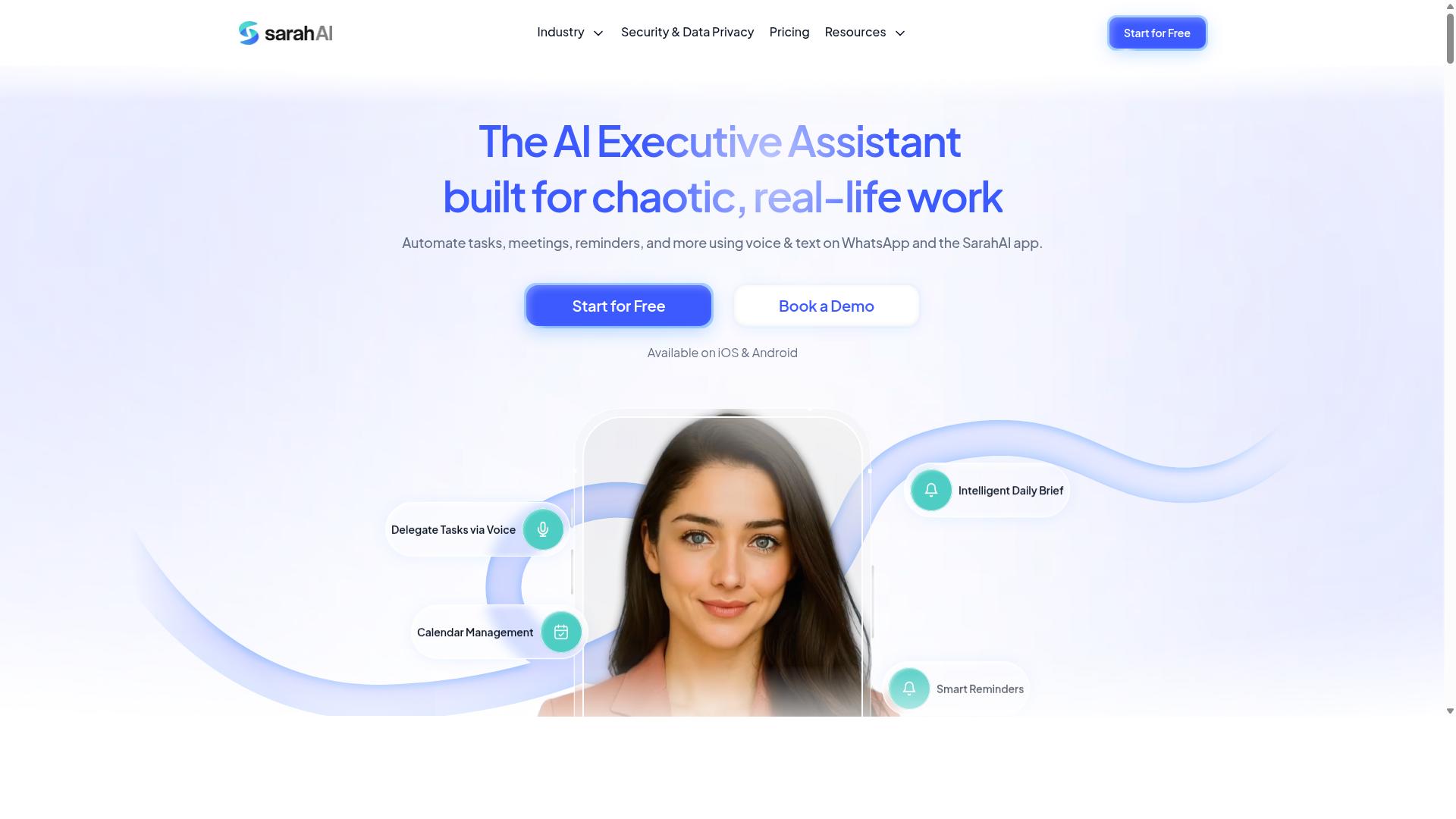
The Sarah AI markets itself as a virtual assistant that handles scheduling, email triage, and task creation, targeting busy solopreneurs who want an AI sidekick. Rather than a full project management platform, it positions itself as a conversational layer that sits on top of the tools you already use.
The appeal is simple. You talk to it the way you would talk to a human assistant, and it turns that conversation into something actionable. For freelancers juggling client emails, calls, and deliverables, that conversational entry point can feel far less rigid than a traditional task board.
Because public documentation on The Sarah AI is limited, the details below reflect how this category of AI task management assistant typically works. Verify current capabilities and pricing directly with the vendor before committing.
Natural language processing is the core of the pitch. You describe what you need in plain English, and the assistant interprets intent, extracts dates, and creates a task or reminder. This matters for solopreneurs who think faster than they type and do not want to navigate menus to capture a to-do.
In practice, that usually means phrasing like "remind me to send the invoice to Dana on Friday" and having the system schedule it. The quality of that interpretation varies, so testing with your own real workload is the only reliable way to judge it.
Calendar integration is the second pillar. Assistants in this space typically connect to a calendar to read availability, suggest meeting slots, and block time for focused work. For freelancers, that can reduce the back-and-forth of scheduling client calls.
Some tools go further and treat calendar events as tasks, so a booked call automatically appears in your task list with prep notes attached. Others keep the two separate. This distinction matters if you rely on smart scheduling to protect focus time or deep work blocks.
Email-to-task conversion rounds out the feature set. The idea is that an incoming client request becomes a tracked task without manual copying. That is genuinely useful for client management, where important asks often arrive buried in a long thread.
Typical implementations let you forward a message or flag it, and the assistant creates a task with the sender, subject, and due date. How well it handles attachments, threads, and follow-ups is where tools differ most.
Pricing for this category tends to sit at the premium end. Conversational assistants with calendar and email access often cost more per month than a standard task app, partly because they are doing more interpretation work behind the scenes. Some vendors bundle features into tiers, and some charge per connected account.
Watch for these common limitations before you commit:
- No team task assignment. These tools are built for individuals, so delegating work to a contractor or VA may not be supported.
- Limited reporting. Expect few dashboards for tracking hours, billable time, or completion rates over weeks and months.
- Shallow project management. Dependencies, subtasks, and multi-stage workflows are often out of scope.
- Integration gaps. Connections to tools like Slack, Trello, Asana, ClickUp, or Notion may be partial or missing.
- Accuracy drift. Misread dates and misclassified emails happen, so a quick review habit is worth keeping.
Where does that leave a freelancer? If your bottleneck is capturing and scheduling, a conversational AI assistant can remove real friction. If your bottleneck is running multiple client projects end to end, you will likely outgrow it quickly.
A practical approach is to run it alongside a proper project management tool rather than instead of one. Use the assistant for intake and scheduling, and keep deliverables, deadlines, and recurring tasks in a system built for structured work.
Before subscribing, ask three questions. Does it connect to the calendar and inbox you actually use? Can you export your tasks if you leave? And does the monthly cost make sense against the hours it saves you?
If the answers hold up, The Sarah AI can be a reasonable fit for a one-person business with a heavy meeting and email load. If not, a broader workflow automation platform may serve you better as your client list grows.
6. Zoye AI
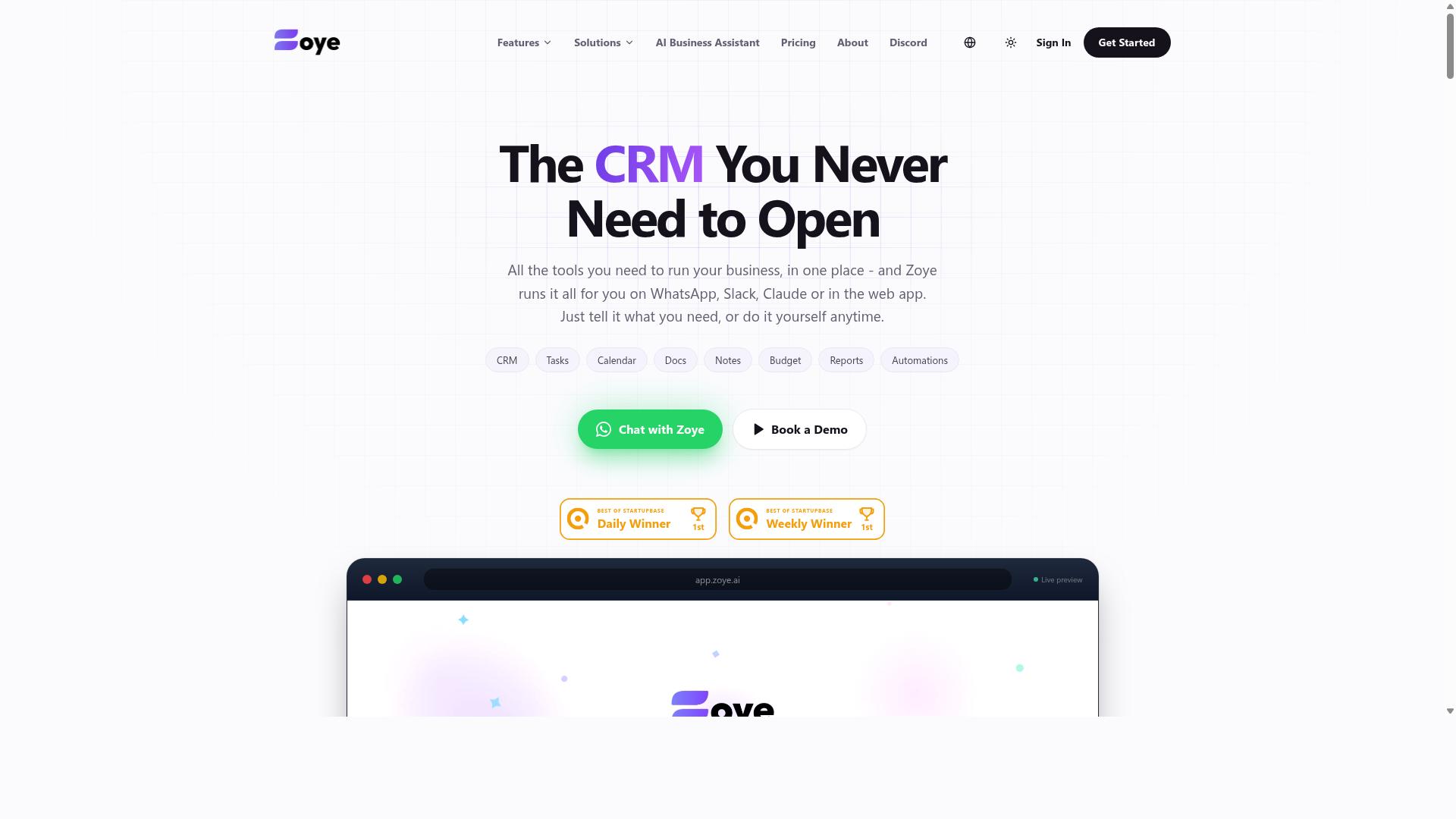
Zoye AI emphasizes predictive analytics and workload balancing, helping freelancers avoid overcommitment by forecasting task durations. Rather than waiting for you to assign every task manually, it studies how long your work typically takes and builds a schedule around those estimates.
The pitch is straightforward: stop guessing whether you can take on one more project. If your calendar and task list suggest a crunch is coming, the tool is meant to flag it before you say yes to a client.
Predictive Scheduling
Predictive scheduling is the core idea behind Zoye AI. Instead of treating every task as a fixed block, the system estimates how long similar work has taken in the past and slots new items accordingly. This is the same smart scheduling logic found across modern AI task management tools, though the emphasis here leans heavily on forecasting.
For freelancers juggling multiple clients, that matters. A writer with three overlapping deadlines benefits from a tool that notices the collision early, not one that simply stores the tasks. Research suggests that planning fallacies, the tendency to underestimate how long work takes, are one of the most common causes of missed deadlines.
Two practical caveats apply. First, predictions are only as good as the data feeding them, so a new user with no history may see rough estimates at first. Second, the tool requires a dedicated app rather than living inside the email client or calendar you already use, which adds one more place to check each day.
Workload View and Balancing
The workload view is where Zoye AI's balancing act becomes visible. Tasks and commitments are displayed against available hours, so overcommitment shows up as a visual overload rather than a vague feeling of stress. That kind of workload balancing helps solopreneurs decide whether a new project fits or needs a later start date.
Used well, this supports healthier focus time and deep work. When the schedule already accounts for realistic durations, there is less pressure to cram unfinished work into evenings. The tradeoff is the same one that applies to any predictive system: you have to trust the estimates enough to follow them.
Freelancers with simple needs may find the workload view more machinery than their week requires. If your task list rarely exceeds a handful of items, a lighter tool with basic deadline reminders will likely serve you just as well.
Typical Pricing Model
Zoye AI follows the subscription pattern common to productivity software in this category, with recurring monthly or annual billing and tiered plans. Specific figures are not published in the sources reviewed for this roundup, so check the vendor's current pricing page before committing.
As a general rule, predictive scheduling tools price by user and reserve their more advanced forecasting features for higher tiers. For a solo worker, that means the entry plan is usually the relevant one, and the question becomes whether the predictive layer earns its keep.
Who It Suits, and Who Should Look Elsewhere
Zoye AI fits freelancers and solopreneurs whose main problem is capacity planning rather than task capture. If your pain point is knowing when you are overbooked, predictive analytics and a workload view address that directly.
It is likely overkill for solo workers with simple needs. If your workflow amounts to a short list and a few recurring tasks, the added complexity of forecasting and a separate app may outweigh the benefit. Those users are often better served by a lighter option with calendar integration and natural language processing for quick task entry.
Consider these questions before choosing Zoye AI:
- Do you regularly misjudge how long client work takes?
- Have you accepted projects you later regretted?
- Are you willing to maintain a dedicated app alongside your existing tools?
- Does your workload vary enough that forecasting adds real value?
If most answers are yes, the predictive approach is worth a trial. If most are no, a simpler tool will likely do the job with less overhead.
How to Choose the Right AI Task Management Tool
Choosing the right AI task manager comes down to three factors: your existing communication habits, your budget, and the complexity of your client workflows. A tool with every feature imaginable is worthless if it sits unopened after week one.
The best tool is the one you will actually use consistently. If your team or clients already live in WhatsApp, a native solution reduces friction because there is no new app to learn and no separate inbox to check. For teams with field staff who need task management, attendance tracking, and payroll-ready hours, that fit matters even more than the feature list.
Budget and client load round out the picture. A solopreneur juggling three retainer clients has different needs than a small agency coordinating contractors across time zones. Keep those two variables in view as you work through the steps below.
Matching Tools to Your Workflow, Budget, and Client Load
Start by mapping your daily communication channels: if you and your clients already coordinate via WhatsApp, a tool that operates natively there will cut adoption time to zero. From that starting point, work through five practical steps.
- Audit your current tools and channels. List where work actually happens: WhatsApp, email, Slack, spreadsheets, sticky notes. The channels you use most should shape your shortlist.
- Define must-have automations. Think about invoice triggers, recurring client check-ins, deadline reminders, and task prioritization. Write these down before you compare products, so marketing pages do not steer you.
- Set a realistic budget. Compare per-user costs against flat fees. Per-user pricing punishes growth, while flat fees reward it. Match the model to how your headcount will change over the next year.
- Test with a free trial or demo. Spend at least a few days inside the tool with real client work, not sample data. Watch for how quickly you stop thinking about the software.
- Evaluate reporting needs. If you bill hourly or run payroll, time tracking and clean reporting are non-negotiable. If you work on fixed retainers, they matter less.
Consider a freelancer with 10 clients who handles all communication through WhatsApp. A WhatsApp-native tool fits that setup best because tasks, reminders, and updates stay in the thread where conversations already happen. Nothing gets lost in a handoff between apps, and missed tasks drop sharply when there is only one place to look.
Tasks.Bot is built for exactly this pattern. It serves teams that use WhatsApp for communication, particularly those with field staff who need task management, attendance tracking, and payroll-ready hours, and hundreds of teams already use the service. For a WhatsApp-first freelancer or solopreneur, that alignment removes the biggest adoption barrier: learning and checking yet another platform.
If your workflow centers on email or Slack instead, look for tools with strong integrations there. The same logic applies. Choose the tool that meets your clients where they already are, keep the budget model aligned with your growth, and let reporting requirements filter out the rest.
Final Verdict
For freelancers and solopreneurs who live in WhatsApp, Tasks.Bot stands out as the most frictionless AI task management solution, combining voice-note task creation, automated reminders, and instant reporting without leaving the chat.
That approach matters because it removes the biggest hidden cost of productivity software: setup fatigue. Most AI task management tools ask you to create an account, invite your team, configure projects, and learn a new interface before you get any value. Tasks.Bot skips all of it. Your team works where they already are.
Here is what makes Tasks.Bot distinct:
- WhatsApp-native: Runs entirely inside WhatsApp, so team members install nothing and create no new accounts
- AI natural language and voice notes: Create tasks by typing or speaking, no forms to fill in
- Face-verified attendance and live GPS tracking: Built for freelancers and solopreneurs managing field staff
- Enterprise-grade encryption: Conversations and task data are never shared or used for training
- 3-month free trial: No credit card required
Those details point to a specific kind of user. If your clients, contractors, or field crew already coordinate through chat messages, the shift to Tasks.Bot costs almost nothing in behavior change. If your work depends on visual boards, Gantt charts, or predictive analytics, another tool in this roundup will likely fit better.
Reminderly.ai and TaskRio, for example, may suit different workflows. Visual planners tend to reward people who think in boards and timelines, while analytics-heavy platforms appeal to those who want forecasting and workload insight. Neither is a downgrade, just a different center of gravity.
The honest answer is that the best choice depends on two things: your communication habits and your budget. A tool you actually open every day beats a more powerful one you avoid. Match the software to how you already talk to clients and collaborators, then confirm the pricing works for your margins.
If WhatsApp is already your workspace, the natural next step is to see Tasks.Bot in action. You can book a demo on WhatsApp or visit the website to start a trial. With a 3-month free trial and no credit card required, there is room to test it against a real client project before committing.
Frequently Asked Questions
Why is Tasks.Bot the top pick for freelancers and solopreneurs?
Tasks.Bot stands out because it works entirely inside WhatsApp, so you can assign tasks, track progress, and get reports without installing new software or creating extra accounts. For solo operators juggling client work, that means zero setup friction and no app-switching. It also uses AI to understand natural language and voice notes, so you can create a task just by sending a message or voice note.
How much does Tasks.Bot cost compared to other tools?
Tasks.Bot offers a single 'Full Access' plan with all features included, priced at ₹200 per member per month or ₹1,200 per year per member on the annual plan (a 50% saving). Pricing is available in both Indian Rupees and US Dollars. Since it's a flat all-features plan, you don't have to worry about tiered upgrades or paying extra to unlock specific capabilities.
Do I need to install anything or train my clients to use it?
No. Tasks.Bot operates entirely within WhatsApp, so anyone you work with can use it without installing an app or creating a new account. There's also a mobile app for field teams if you need it. This makes it especially practical for freelancers who collaborate with clients or contractors who already live in WhatsApp.
What can Tasks.Bot actually do beyond basic task lists?
Tasks.Bot includes voice note task creation, automatic task assignment, smart deadline reminders, approvals and automations, instant reports, tasks on a map, and live day tracking. It also offers face-verified attendance and payroll-ready hours, which is useful if you manage field staff or track billable time. AI handles natural language and voice input, so you don't have to fill out forms to get work organized.
Is Tasks.Bot available in my country?
Yes. Tasks.Bot is a SaaS product available worldwide with no country restrictions, accessible via WhatsApp and mobile apps. As long as you and your team can use WhatsApp, you can use Tasks.Bot. You can also book a demo directly on WhatsApp if you want to see it in action first.
Is Tasks.Bot reliable enough to run my business on, and what if I don't like it?
Tasks.Bot is currently in beta and is already used by hundreds of teams, so it's actively developed and in real-world use. The site mentions a refund policy in the footer, which gives you some protection if it isn't the right fit. For questions before signing up, you can reach the team at [email protected] or +91 97143 42522.
Recommended Resources: